


Building the first Sci-Fi Corridor prototype
How we went from a rough tile grid concept to a printable modular corridor system — and what we learned along the way.
Read articleConfigure your scene, place modular parts, and prepare a complete print guide — directly in your browser.
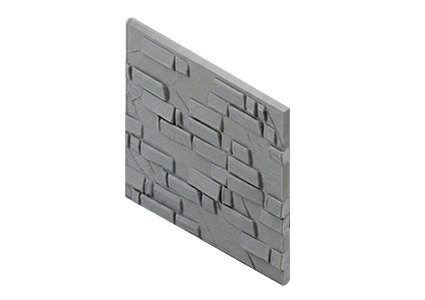
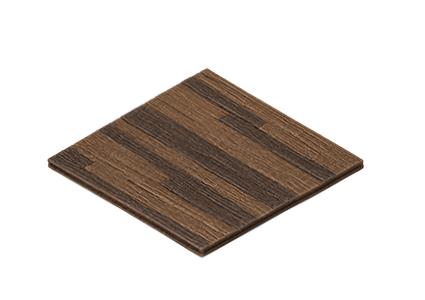


Orca Slicer · Bambu Studio · Anycubic Slicer


No 3D skills needed. DioGrid turns your layout into a print-ready modular build.

Set grid dimensions, activate walls and structure your modular scene.

Browse coordinated collections and place floors, walls and panels.

See your scene render in real time with materials, lighting and scale.

Export assembly guide, parts list and print-ready STL / 3MF files.
Collections
Browse floors, walls, panels and accessories designed to work together. Every piece in a collection shares proportions, scale and aesthetic so your scene stays coherent.
Browse collections →


Templates
Beginner scenes, corridor presets and large display layouts — all ready to customize. Pick a starting point and modify every part of it in seconds.
See all templates →


Print Preparation
Review parts, prepare build plates and move from digital design to real 3D-printed diorama. DioGrid prepares the files so your slicer knows exactly what goes where.
See export options →Assembly Guides
Parts used, build plates and assembly guide — all organized around your actual scene. Every guide is generated from your current configuration, no manual work needed.
See an example guide →Print Guide
Parts Used
Who it's for
Whether you're painting miniatures, building scale models or constructing diorama scenes — DioGrid fits your workflow.
Design a base that fits your miniatures exactly. Choose scale, configure the grid and have every printed piece ready before picking up a brush.
Build accurate modular environments in 1:12, 1:18 or 1:144. DioGrid calculates dimensions and prepares print-ready files for every part.
Go from concept to printable build faster. Configure large scenes, assemble modular sections and export everything organized by build plate.
From the Studio
How we went from a rough tile grid concept to a printable modular corridor system — and what we learned along the way.
Read articleA short guide to the print orientation decisions behind DioGrid wall panels — and why face-down beats upright every time.
Read articleNo account required. Open the configurator, explore the collections and begin designing — directly in your browser.
